Patagonia's AI Agent
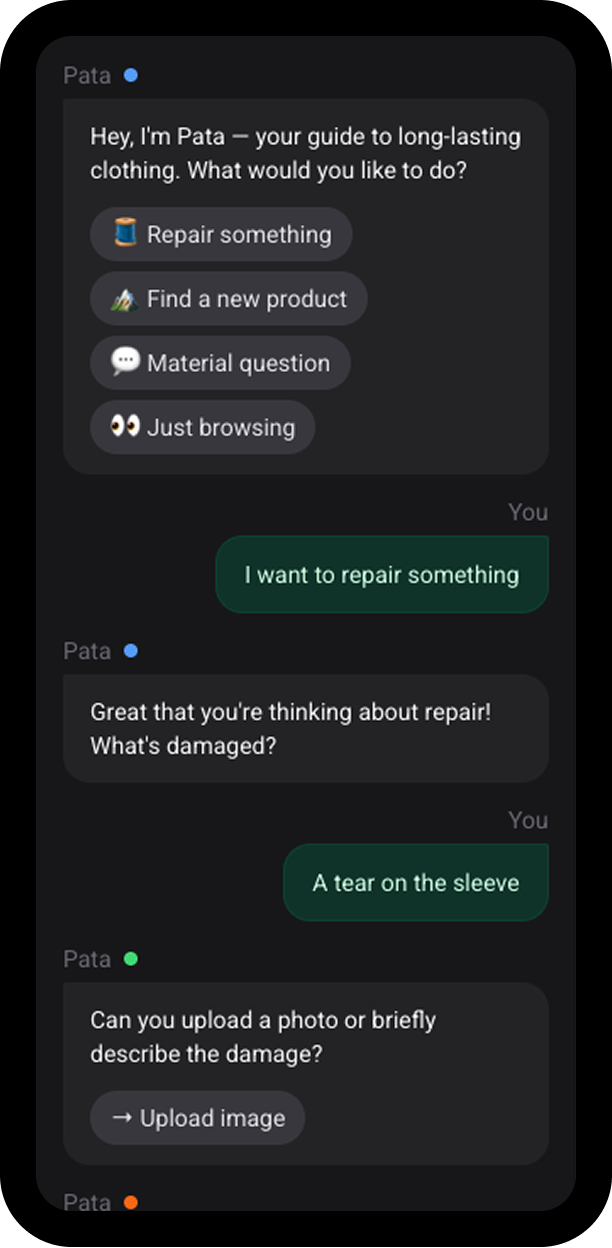
Conversational B2C interface shaped by the brand's personality and values.
Building an AI-driven operating system around a component library, so maintainers and AI agents can create, validate and maintain UI components side by side with minimal upkeep.
Senior Product Designer
Agentic design system
AI generates UI fast, but the result only looks fine on the surface; by default it's expensive to run and unreliable. At scale it drifts: invented components, misused tokens, stale Figma files.
The real challenge is guiding the LLM to understand design intent and stay aware of the system's state, without 24/7 orchestration or costly live MCP calls.
Figma as the source of truth. It can't hold every state, accessibility rule or code-only property, and syncing it needed an Enterprise-only API. So code became the source and Figma a checked mirror.
A single large AGENTS.md file. It became tiered, loading rules
by task instead of all at once.
One contract file per component. It became two: a metadata file on how to use a component, and a spec on how to build it.
The system follows the four parts of a common agent architecture, and keeps the model out of every part a script can handle.
Each task loads only the context it needs: too much costs money and distracts the model, too little makes it guess. The system's memory lives in four layers an agent reads on demand. See memory layers
AGENTS.md
loads in every session, kept under 8KB by CI. Detailed rules, commands
and skills load on demand, so every developer and agent works the same
way.STATUS_QUO.md summary. Agents, the CLI, Storybook and Airtable
all read from it, so nothing queries Figma live.Before building, the agent picks one of seven answers, from reuse to build new or escalate, each backed by a decision record.
The add-component loop then proposes an API and waits for
my approval. That proposal becomes the spec that code and Figma are
built from, followed by automated checks, my Storybook review and, for interactive
components, an adversarial reviewer agent with a full behavioural accessibility
review.
Other loops keep the system current: stale docs get rewritten and review findings update the rules.
Context, loops and rules stay only if a test shows they help. Each test hid the answer key and recorded a prediction before the first run, so misses were reported instead of tuned away.
                                             "patterns": [...],
                                             "antiPatterns": [...],
                                             "accessibility": [...],
                                             "composition": [...],
                                             "tokens": [...]
                                            "patterns": [
                                                {
                                                    "name": "course-curriculum",
                                                    "description": "A list of course modules, each expandable to reveal a description.",
                                                    "tree": "Accordion > [AccordionItem(title, subtitle), AccordionItem(title, subtitle), ...]"
                                                },
                                                {
                                                    "name": "faq-list",
                                                    "description": "A set of frequently asked questions where each answer is hidden by default.",
                                                    "tree": "Accordion > [AccordionItem(title='Question?') > Text(answer), ...]"
                                                }
                                            ]
Gives the agent accepted composition patterns and usage examples.
                                            "antiPatterns": [
                                                {
                                                    "scenario": "Nesting Accordion inside another Accordion",
                                                    "reason": "Deep nesting creates a confusing mental model and breaks the heading hierarchy.",
                                                    "alternative": "Flatten the information architecture or use a sub-section heading and Text"
                                                },
                                                {
                                                    "scenario": "Passing both the open prop (controlled) and defaultOpen prop simultaneously to AccordionItem",
                                                    "reason": "The component cannot resolve two competing sources of truth. The controlled open prop silently wins over defaultOpen; a DEV-only console.warn is emitted, but the initial state discrepancy still occurs at runtime.",
                                                    "alternative": "Use open + onOpenChange for fully controlled mode, or defaultOpen alone for uncontrolled mode. Never supply both."
                                                }
                                            ]
Stops the agent from repeating documented mistakes.
                                            "keyboardInteractions": [
                                                {
                                                    "key": "Enter",
                                                    "action": "Toggles the focused accordion item open or closed"
                                                },
                                                {
                                                    "key": "Space",
                                                    "action": "Toggles the focused accordion item open or closed"
                                                },
                                                {
                                                    "key": "Tab",
                                                    "action": "Moves focus sequentially through any focusable content within an open panel, then to the next accordion trigger. Focusable descendants inside a collapsed panel are skipped — the panel's inert DOM property is set while closed, so Tab cannot land on them even though they remain in the DOM for aria-controls."
                                                }
                                            ]
Fixes ARIA and keyboard behavior the agent can't infer on its own.
                                            "composition": {
                                                "composedOf": ["Icon", "Text"],
                                                "accepts": ["AccordionItem"],
                                                "containedBy": ["Box", "Stack", "Card"]
                                            }
Tells the agent what's valid to nest and wrap.
Build quality goes up, in code and in Figma. Contracts define properties, states and behaviour, so code and Figma match beyond tokens.
It costs little to run. Scripts do the routine work and nothing runs around the clock, so cost follows actual work.
Every contributor reads the same source. Every touchpoint, from the Airtable board to Storybook, is generated from the repo, so no one updates one by hand or asks which version is current.
Governance guides every change. Before a component is added or modified, the agent checks it against the component specs and recorded decisions and recommends a path, so new maintainers decide with the system's history in hand, without having to learn it first.